Skip to content

Azure DevOps is a comprehensive DevOps toolchain

Azure DevOps is a comprehensive DevOps toolchain that provides services for planning, developing, testing, deploying, and monitoring applications. It integrates seamlessly with Azure services but can also be used with other cloud platforms like AWS.

Key Features

  1. Azure Boards: Agile planning tools for backlog management, sprint planning, and task tracking.

  2. Azure Repos: Git-based version control for source code management.

  3. Azure Pipelines: CI/CD (Continuous Integration and Continuous Deployment) pipelines for building, testing, and deploying applications to multiple environments (Azure, AWS, on-premises, etc.).

  4. Azure Test Plans: Tools for manual and automated testing.

  5. Azure Artifacts: Package management for sharing code artifacts like NuGet, npm, and Maven packages.

Use Cases

  • CI/CD Pipelines: Automate builds, tests, and deployments to Azure, AWS, or hybrid environments.

  • Agile Development: Manage sprints, backlogs, and team collaboration using Azure Boards.

  • Multi-Cloud Deployments: Use Azure Pipelines to deploy applications to AWS, Azure, or other platforms.

  • Monitoring and Feedback: Integrate with Azure Monitor or AWS CloudWatch for monitoring and feedback loops.

Azure Services

Azure is a cloud computing platform by Microsoft that provides a wide range of services for building, deploying, and managing applications.

Key Services

  1. Azure App Services: For hosting web applications and APIs with automatic scaling and patching.

  2. Azure SQL Database: A fully managed relational database service.

  3. Azure Virtual Machines (VMs): Scalable compute resources for hosting applications or running custom workloads.

  4. Azure Storage: Blob storage, file storage, and disk storage for data and backups.

  5. Azure Monitor: Comprehensive monitoring and analytics for applications and infrastructure.

  6. Azure Active Directory (AD): Identity and access management for secure authentication and authorization.

  7. Azure Kubernetes Service (AKS): Managed Kubernetes for containerized applications.

  8. Azure Functions: Serverless computing for event-driven applications.

Use Cases

  • Web Application Hosting: Use Azure App Services or Azure VMs to host web applications.

  • Data Storage and Management: Leverage Azure SQL Database, Cosmos DB, or Blob Storage for structured and unstructured data.

  • DevOps Integration: Use Azure DevOps for CI/CD pipelines to deploy to Azure services.

  • Hybrid Cloud: Integrate on-premises infrastructure with Azure using Azure Arc.

AWS (Amazon Web Services)

AWS is a cloud computing platform by Amazon that provides a broad set of services for building, deploying, and managing applications.

Key Services

  1. EC2 (Elastic Compute Cloud): Scalable virtual machines for hosting applications.

  2. RDS (Relational Database Service): Managed relational databases like MySQL, PostgreSQL, and SQL Server.

  3. S3 (Simple Storage Service): Object storage for backups, static assets, and data lakes.

  4. Lambda: Serverless computing for event-driven applications.

  5. CloudWatch: Monitoring and logging for AWS resources and applications.

  6. IAM (Identity and Access Management): Secure access control for AWS resources.

  7. Elastic Load Balancer (ELB): Distributes traffic across multiple EC2 instances for high availability.

Use Cases

  • Scalable Web Applications: Use EC2, RDS, and S3 to host and scale web applications.

  • Serverless Architectures: Build event-driven applications using AWS Lambda.

  • Big Data and Analytics: Use services like Redshift, EMR, and Athena for data processing and analytics.

  • Multi-Region Deployments: Use AWS Global Infrastructure for high availability and low-latency applications.

  • DevOps Integration: Use AWS CodePipeline, CodeBuild, and CodeDeploy for CI/CD workflows.

Azure DevOps with Azure Services

Azure DevOps integrates natively with Azure services, providing a seamless experience for building, deploying, and managing applications on Azure.

Integration Scenarios

  1. CI/CD Pipelines: Use Azure Pipelines to deploy applications to Azure App Services, Azure VMs, or AKS.

  2. Infrastructure as Code (IaC): Use Azure Resource Manager (ARM) templates or Terraform with Azure DevOps to provision and manage Azure resources.

  3. Monitoring and Feedback: Integrate Azure Monitor with Azure DevOps to track application performance and trigger alerts.

  4. Security and Compliance: Use Azure Policy and Azure Security Center to enforce governance and compliance across Azure resources.

Azure DevOps with AWS

Azure DevOps can also be used to manage applications deployed on AWS, enabling a multi-cloud DevOps strategy.

Integration Scenarios

  1. CI/CD Pipelines: Use Azure Pipelines to deploy applications to AWS services like EC2, ECS, or Lambda.

  2. Infrastructure as Code (IaC): Use Terraform or AWS CloudFormation with Azure DevOps to provision and manage AWS resources.

  3. Monitoring and Feedback: Integrate AWS CloudWatch with Azure DevOps for monitoring and alerting.

  4. Hybrid Cloud: Use Azure DevOps to manage workloads across Azure and AWS, leveraging the strengths of both platforms.

When to Use Azure DevOps, Azure Services, or AWS

  • Azure DevOps:

    • Use for end-to-end DevOps workflows, regardless of the cloud platform.

    • Ideal for teams already using Microsoft tools (e.g., Visual Studio, GitHub).

    • Great for multi-cloud or hybrid cloud scenarios.

  • Azure Services:

    • Use for native integration with Microsoft products (e.g., Office 365, Windows Server).

    • Ideal for enterprises with existing Microsoft investments.

    • Strong support for hybrid cloud and on-premises integration.

  • AWS:

    • Use for a broad range of cloud services with global reach.

    • Ideal for startups, enterprises, and developers looking for flexibility and scalability.

    • Strong support for open-source technologies and serverless architectures.

Conclusion

  • Azure DevOps is a powerful DevOps toolchain that works seamlessly with Azure Services and can also integrate with AWS for multi-cloud strategies.

  • Azure Services are ideal for organizations deeply invested in the Microsoft ecosystem or those requiring hybrid cloud capabilities.

  • AWS is a versatile cloud platform with a wide range of services, suitable for organizations looking for flexibility, scalability, and global reach.

By leveraging the strengths of these tools and platforms, organizations can build, deploy, and manage applications efficiently, whether they are using a single cloud provider or adopting a multi-cloud approach.

 

Effortless Migration from TIBCO/MuleSoft to Workato: Powered by TelePort AI

Effortless Migration from TIBCO/MuleSoft to Workato: Powered by TelePort AI

In the fast-evolving world of enterprise integration, migrating from platforms like TIBCO and MuleSoft to modern cloud iPaaS solutions like Workato can feel daunting. Legacy spaghetti code, custom schemas, and undocumented business logic slow down innovation and drive up costs. That’s where Teleport AI comes in—a next-generation, AI-powered migration toolkit that redefines how organizations modernize their integration landscape.

Modernizing Integrations with Teleport AI

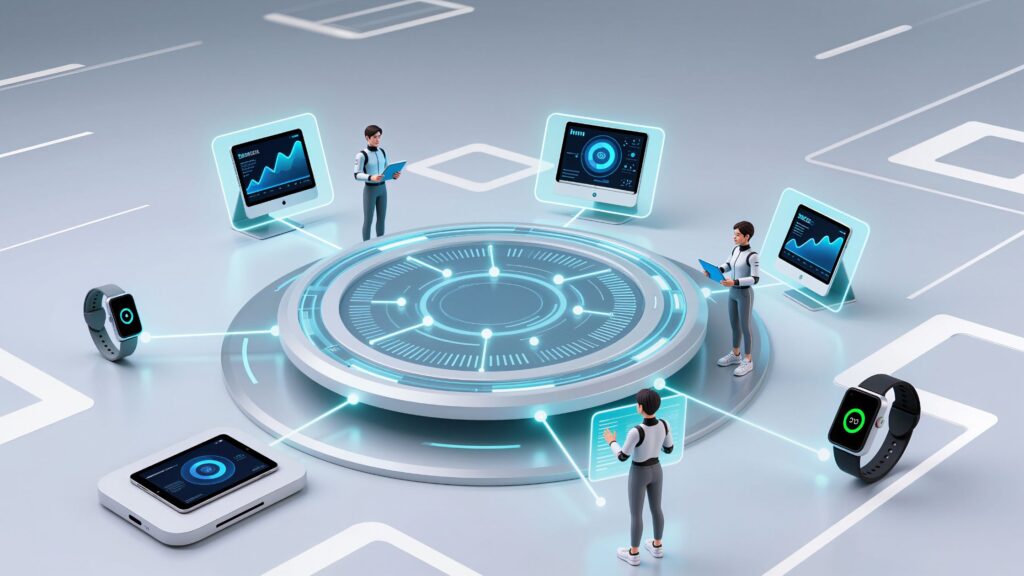
Teleport AI isn’t just another migration script or ETL tool. It’s a comprehensive migration platform designed to automate, accelerate, and de-risk your move to Workato. By leveraging cutting-edge AI, deep integration expertise, and an intuitive dashboard, Teleport AI empowers customers to:

  • AI engine to extract and analyze integration code and create the process specifications and required prompts for the target copilot

  • Visualize and transform workflows with unprecedented clarity

  • Harness Workato Copilot for recipe generation

  • Seamlessly create modern, maintainable automation on Workato

  • Lower migration and maintenance costs by automating manual tasks.

  • Achieve faster migration, validation, and go-live with end-to-end automation. 

  • Save up to 70% of your migration time using Teleport and iSteer Migration experts skilled in multiple modern and legacy integration/iPaaS platforms

  • Move from planning to production-ready integrations in a fraction of a time. 

Teleport AI Migration Lifecycle

1. Extraction: Turning Legacy Code into Actionable Assets

The first step in any migration is understanding what you have. Teleport AI connects to your source system—whether it’s TIBCO BW, MuleSoft, Boomi, or even custom Java-based ESBs—and automatically extracts all integration artifacts:

  • Process flows and sub-processes
    • Mappings, schemas (XSD, JSON, CSV), and sample data
    • Scripts, services, certificates, dependencies

Teleport AI goes beyond simply copying files: it parses and reconstructs your integration logic, capturing business context, dependencies, and configuration details.

Why This Matters:

Legacy documentation is almost always outdated. Teleport AI removes guesswork by giving you a complete, up-to-date snapshot of your integration landscape, no more manual inventory, no more risk of missing a critical dependency.

2. AI-Powered Code Analysis: Make Sense of Complexity

Once your integration assets are extracted, Teleport AI’s AI-powered analysis engine takes over. It scans your legacy codebase to:

  • Identify reusable logic and common patterns
    • Highlight schema transformations and data mappings
    • Detect deprecated services and obsolete endpoints
    • Map dependencies between processes and external systems

All of this is presented in an interactive dashboard, where architects and business analysts can deep-dive into any process, inspect step-by-step logic, and annotate or flag items for review.

How You Benefit:

No more black boxes. Teleport AI shines a light on even the most convoluted legacy flows, making it easy for teams to agree on what stays, what goes, and how to modernize.

3. Dashboard-Driven Transformation: From Analysis to Modernization

Teleport AI is built for collaboration and action—not just analysis. In its powerful dashboard, you can:

  • Transform or refactor legacy steps into modern patterns
    • Group steps into reusable components (perfect for Workato functions)
    • Tag business-critical logic, document exceptions, and enrich with context
    • Simulate new flow designs before generating any code

You get instant visual feedback on how your migrated flows will behave—eliminating surprises later in the project.

4. Workato Copilot Integration: AI-Driven Recipe Generation

Here’s where Teleport AI takes migration into the future: With direct integration to Workato Copilot, your extracted and transformed flows are translated into Workato prompts and recipes. Teleport AI automatically:

  • Generates Workato Copilot-ready prompts using step-by-step logic, data mappings, and schema definitions
    • Handles Workato Copilot prompt size limits by chunking and prioritizing the most critical process details
    • Sketches initial recipes using Workato’s AI, drastically reducing manual coding

Why Organizations Choose Teleport AI for Integration Migration

  • Speed: Cut migration time from months to weeks—save up to 70% in project timelines.
    • Accuracy: No missed mappings or hidden logic—everything is captured, transformed, and validated.
    • Transparency: Dashboards, visualizations, and full audit trails.
    • Future-proof: Modern, reusable Workato recipes ready for ongoing business innovation.

Ready to Modernize? Let Teleport AI Accelerate Your Migration

Integration modernization is no longer a leap of faith. With Teleport AI, you get clarity, control, and confidence at every stage of migration—from legacy chaos to Workato-powered agility. Don’t let your business get stuck in the past. Unlock the future of integration with Teleport AI.

Contact us today to schedule a demo or start your migration journey!


iSteer EMV 3D Secure Solutions: Transforming Card-Not-Present Authentication

iSteer EMV 3D Secure Solutions: Transforming Card-Not-Present Authentication

At iSteer.com, we understand that in today’s digital-first economy, card-not-present…
BenchBridge AI: Empowering Your Team, Reducing Bench Time

BenchBridge AI: Empowering Your Team, Reducing Bench Time

In today’s fast-paced business world, every moment and every resource…
Power your CPQ Business Process With Quality Items

Power your CPQ Business Process With Quality Items

The Problem Many manufacturing companies today, have many applications and systems…