Skip to content

Glean Partner Network · Implementation and services partner · Authorised reseller

Glean, deployed, connected, and run by the team that already integrates your systems

Glean provides every employee with permission-aware enterprise AI for unified search, assistance and agentic workflows across 250+ connected applications. iSteer deploys the platform while preserving source-system access controls, integrates non-native systems through custom connectors and APIs, manages ongoing operations and, if preferred, supplies the licence under a single contract.

Listed in Glean’s Partner Finder for the United States, India, Singapore and the Middle East.

Glean: 250+ connectors · 40+ LLMs · SOC 2 Type II, ISO 27001, ISO 42001, HIPAA · Forrester Total Economic Impact study: 141% ROI, up to 110 hours saved per user per year

What Glean is, and what it does for a company

Glean is enterprise AI that understands your company, connecting email, documents, chat, ticketing, CRM, HR and code systems to build the complete, permission-aware context that  AI needs to work at enterprise scale. It delivers unified, source-cited answers based only on content each user is authorised to access and enables teams to build governed agents that execute routine workflows across those applications, from drafting responses and summarising incidents to creating tickets and preparing account briefs. The result is faster access to company knowledge, shorter onboarding, fewer internal support requests and AI grounded in enterprise data rather than the public internet. Four parts:

Search

Find answers across your company

One search over 250+ connected applications and your own datasources, returning only
what that person may already see.

Assistant

An AI coworker with citations

Answers grounded in company context, with actions in the applications people already use
— Salesforce, Jira, Confluence, GitHub, Google Calendar.

Agents

Build, govern and run agents

An agent builder, a library with moderators, orchestration and governance; tools and MCP
so agents can act on other systems.

Protect

Safely scale AI at work

Permissions mirrored from every source, an isolated single-tenant environment, no LLM
data retention; Protect+ adds sensitive-content scanning and AI guardrails.

Implement with iSteer — and buy through iSteer if you prefer

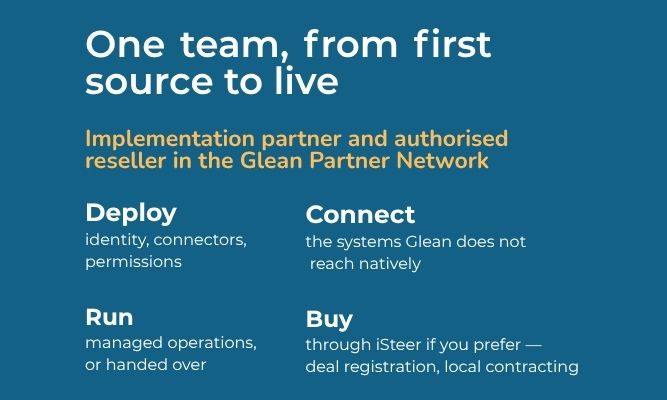
Most of our work starts after the licence. If you would rather have licence and
delivery under one contract, we are an authorised reseller too.

Deploy, connect and run Glean with iSteer

Identity and single sign-on; the connectors that matter first; permission validation before anyone searches; custom datasources and tools for the systems Glean does not reach natively; agents with the first department; enablement; and, if you want it, operations after go-live.

Buy Glean through iSteer

Glean is licensed per seat, on contract. As an authorised reseller we register the deal with Glean, contract locally in India, Singapore and the UAE as well as the USA and Canada, and put licence and delivery under one contract with one accountable team. You can also bring a licence you already hold.

Start with one department, prove it, then widen

Glean’s own departmental solutions are the fastest way to a first result. We pick the department where the knowledge is most scattered, connect its sources, set the permissions, and put one or two agents in front of the team.

Code, tickets and docs in one place

GitHub, Jira, Confluence, Slack and code search together; Glean’s MCP server [GA] brings that context into Cursor, VS Code, JetBrains and Copilot Studio; engineering agent templates for incident summaries, PR context and onboarding.

Answers with citations, routed when not

ServiceNow, Zendesk, Confluence and the ticket history behind one assistant; agents that draft responses with citations and route what they cannot answer. Glean’s embedded Zendesk and
ServiceNow experiences are moving to agents in the browser extension — we plan around that.

Account briefs and policy answers

Salesforce, Workday, Google Workspace or Microsoft 365, and Glean’s sales-tool
integrations; account briefs, policy answers and onboarding agents with permission-aware answers.

Typical first industries for us: banking and financial services, manufacturing, telecom and logistics.

The knowledge in your integration landscape, and the actions behind it, inside Glean

Glean connects natively to 250+ applications. Your integration platforms, custom applications, APIs and the landscapes behind them are reached through Glean’s documented mechanisms — and that is integration work, which is what iSteer does every day.

Find it

Interface catalogues, process documentation, deployment and environment configuration, run-books and incident history — indexed as Glean documents that only the right people can see and cite. Our integration-landscape connector does this for TIBCO BusinessWorks today; other landscapes follow the same pattern.

Act on it

The services you already own — an order status, a customer look-up, a ticket update — exposed as governed tools that Glean agents call under the user’s own identity, with confirmation before any write. Where a platform speaks MCP (Workato) is in Glean’s verified catalogue; others through registered custom servers) we use it; where it speaks OpenAPI, we use that.

Run it

Operations teams get one assistant over the landscape’s own knowledge: what runs where, who owns it, what changed, what broke last time — with the run-book attached.

How Glean reaches what it does not connect to natively

Indexing API

Custom datasources with per-document permissions and identity sync [GA]

Tools (OpenAPI)

Read or act on any API from Assistant and agents [GA]

Remote MCP servers

Registered and governed centrally; in Assistant [GA], in agents [BETA]

Custom connectors Run

Glean-hosted or in your own AWS or GCP account [GA]

If your landscape runs on TIBCO, Boomi, Workato, MuleSoft, SnapLogic or Apigee — or on something of your own — the same team that integrates it connects it to Glean.

How we work

Five steps. Each is scoped after a short conversation; each stands on its own.

Discover

Identity and SSO, the first sources, the permission model, hosting model and region, the first
department, success measures.

Acquire

Purchase through iSteer with deal registration and regional contracting — or bring your existing Glean licence.

Implement

Connectors in order of value; custom datasources and tools for what Glean does not reach natively; permission checks against the sources before anyone searches; agents with the department.

Adopt

Enablement by role, an agent library with moderators, usage and governance dashboards,
the second and third departments.

Run

Administration, connector health, permission audits, agent governance, Glean Protect operations, model and release changes — managed, or handed over with the run-books.

What we have built

Integration-landscape connector for Glean

Makes the knowledge already inside your integration landscape — processes, deployments,
configuration, dependencies — findable and citeable in Glean, with the right access attached and nothing sensitive leaving your environment. Built for TIBCO Business Works first and tested on a live installation; messaging and BusinessWorks 6 coverage planned; other platforms follow the same approach.

Glean readiness assessment

A short review of identity, sources, permissions, hosting model and region, and the first department — you leave with a sequenced plan and the questions Glean will ask.

Glean managed operations

Administration, connector health, permission audits, agent governance and Glean Protect
operations, 24×7 where you need it, with run-books you keep.

Why iSteer for Gleen

The integration practice behind the connectors

Seventeen years connecting enterprise systems — that is the work Glean's Indexing API, tools and MCP registration ask for.

Where you are

Offices in the USA, Canada, India, Singapore and the UAE; delivery from North America and Asia.

One contract for licence and delivery

Reseller and implementation partner in the Glean Partner Network; deal registration, regional contracting, one accountable team.

Everything handed over

Permission-test results, connector configuration, agent definitions, run-books and training — managed operations only if you would rather we keep running it.

Resources

Glean's four kinds of connector — and which one your system needs

Native, MCP, Push API, partner-built: what each is for, from Glean’s own docs

What your TIBCO BusinessWorks landscape looks like inside Glean

Processes, deployments,
configuration and dependencies — findable by the people allowed to see them

Workato and Glean: two directions of integration

Recipes writing to Glean, and Glean agents calling Workato through MCP

Customer-hosted Glean on AWS or GCP

Planned — what your cloud team prepares before day one

Permissions first

Planned — testing Glean’s mirrored ACLs before go-live

Company context in your coding tools

Planned — Glean’s MCP server in Cursor, VS Code and Copilot Studio, governance first

Questions we hear first

We already have Glean. Can you help?

Yes. Most of our work starts after the licence: connectors, custom datasources, permission validation, agents and tools, adoption and operations.

Glean-hosted as single-tenant SaaS in an APAC, EMEA or AMER region, or customer-hosted as a Glean-managed tenant inside your own AWS or GCP account in a Glean-supported region. We confirm the region and residency posture in Discover.

Glean mirrors the access controls of each connected source; if a user cannot open a document in the source, Glean will not use it as context, return it, or cite it. For custom datasources we index the permissions with the documents and verify them with Glean's access-check API before go-live.

Glean’s Model Hub offers 40+ models — OpenAI, Google, Anthropic, Amazon and open models — with zero-retention agreements; you can bring your own keys where your cloud allows it.

Yes, through Glean’s Indexing API, OpenAPI tools, registered MCP servers and custom connectors. That is the integration work we do.

Protect is the baseline: an isolated tenant, enforced permissions and no LLM data retention. Protect+ is a separately licensed add-on for sensitive-content scanning and AI guardrails; we configure and operate either.